Analog Output Card
Overview
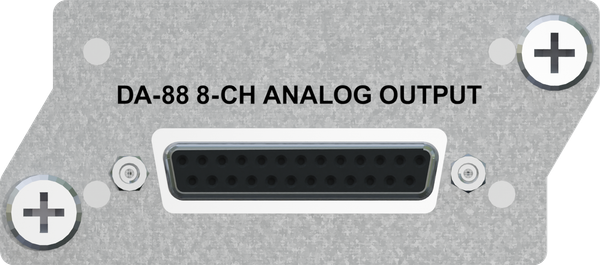
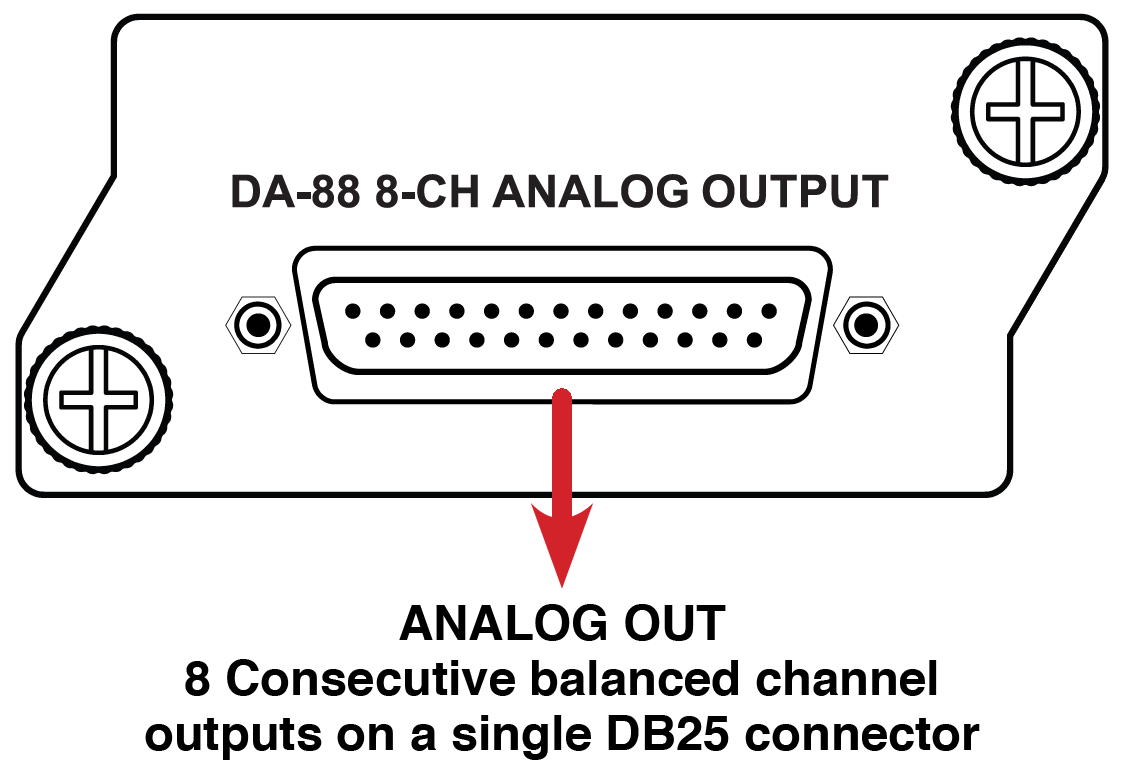
The Analog Output Card provides (8) consecutive balanced channel outputs on a single DB25 connector. Developed for the Hear Back PRO Hub and the WSG Bridge.
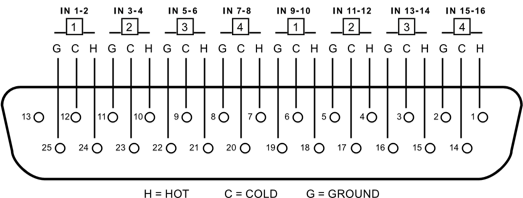
Connect to the Analog Output card using a Tascam DA-88 style pinout on a DB25 connector (see wiring diagram below). This is the same pinout that standard analog DA-88 style connections use.
Use only DA-88 Analog. Do not use TDIF.
Advantages / Features
- Compatible with any of the PRO input card options
- Supports 44.1kHz, 48kHz, 88.2kHz, 96kHz, 176.4kHz, and 192kHz sampling rates
Card Slot Compatibility
The following is applicable for V8 FW or later with PRO Connect.
Hear Back PRO: The Analog Output card works with ADAT, AES/EBU, and 16-channel Dante and Waves cards only. Depending on your current Hub setup, different vacant slots will provide different outputs (see available combinations below). Use the PRO Connect interface to configure your Hub.
| Input Card Position(s) | Analog Output Card Slot | Resulting Output Card Channels |
|---|---|---|
| 1 (SINGLE DIGITAL) | 2 | 9 THRU 16 |
| 3 | 1 THRU 8 | |
| 4 | 9 THRU 16 | |
| 1, 2 (ANALOG) | 3 | 1 THRU 8 |
| 4 | 9 THRU 16 | |
| 1, 3 (TWO DIGITAL) | 2 | |
| 4 | ||
| 1, 2, 3 (ANALOG, DIGITAL) | 4 |
WSG Bridge: The WSG Bridge is preloaded with a Dante or MADI card in slot 1 and the Waves SoundGrid card in slot 3. Available slots for installing the Analog Output Card are slot 2 to monitor from the Waves or MADI inputs or slot 4 to monitor from the Dante inputs (see chart below).
| Input Card Position(s) | Analog Output Card Slot | Resulting Output Card Channels |
|---|---|---|
| 1, 3 (DANTE OR MADI, WAVES SOUNDGRID) | 2 | Waves Inputs Selectable in Banks of 8 |
| 4 | Dante Inputs Selectable in Banks of 8 |
Channel Select Jumper
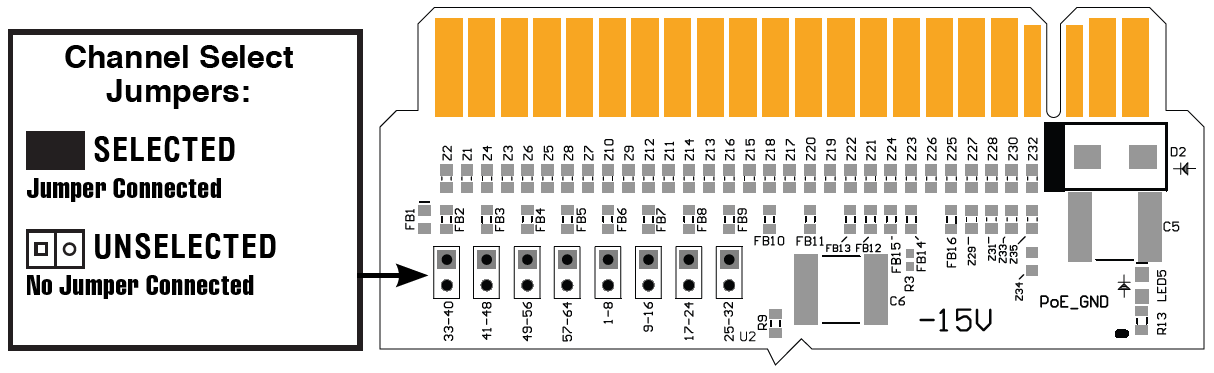
Hear Back PRO: The channel select jumper MUST be in the "33-40" position for proper function of the Analog Output card with a Hear Back PRO Hub.
WSG Bridge: The block of eight channels is selected from a row of eight male jumper pin pairs next to the gold fingers. To select your bank of channels, simply short the corresponding pair of pins with the jumper provided.
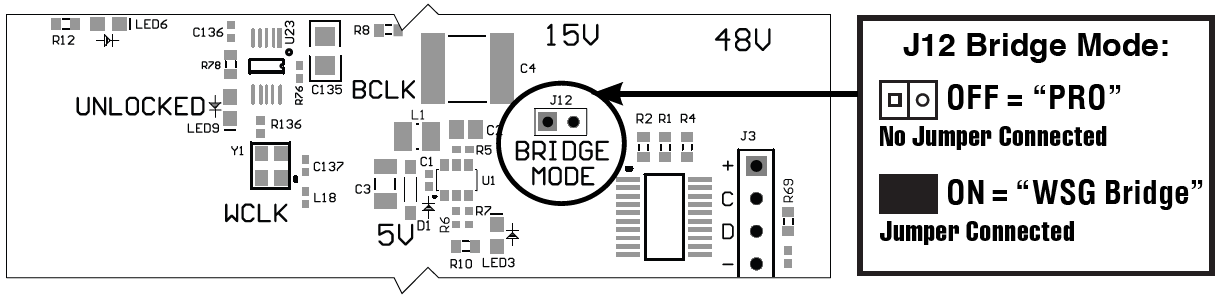
Bridge Mode Jumper
Before installation, the Bridge Mode jumper J12 must be:
- "OFF" if using with a PRO Hub
- "ON" if using with a WSG Bridge
Technical Specifications
Analog Distortion:
< 0.003% THD+N
Maximum Output Level:
+23dBU
Sampling Rates:
Supports 44.1kHz, 48kHz, 88.2kHz, 96kHz, 176.4kHz, and 192kHz
Output Connector:
DB25 with standard TASCAM DA-88 pin-out